
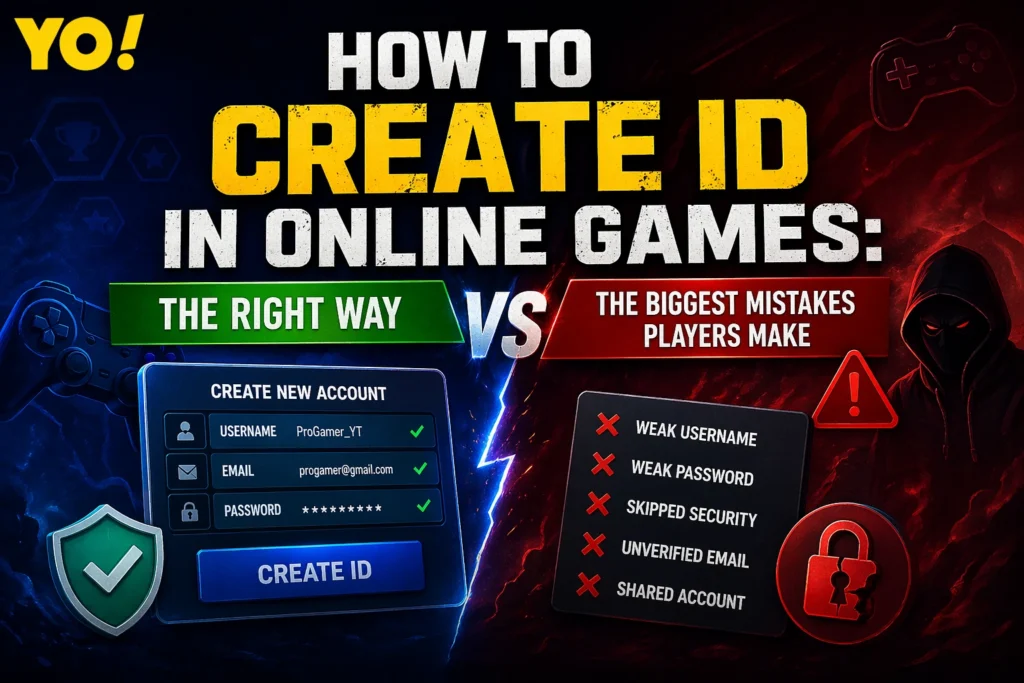
How to Create ID: Why This Simple Step Can Make or Break Your Gaming Journey
In today’s online gaming world, creating an account is the very first step every player takes—but most people don’t realize how important this step really is. Learning how to create ID is not just about signing up and starting a game. It’s about building your identity, protecting your progress, and setting the foundation for everything you achieve in the game.
Many players rush through the process. They choose random usernames, weak passwords, or skip security settings just to start playing quickly. At first, it doesn’t seem like a big deal. But later, these small mistakes can lead to serious problems like losing access to the account, getting hacked, or even losing valuable in-game items.
On the other hand, players who understand how to create ID properly take a few extra minutes to do it the right way. They create strong, secure accounts, choose meaningful usernames, and make sure their data is protected. These players not only stay safe but also build a strong presence in the gaming community.
This guide will show you exactly how to create ID step by step, while also highlighting the common mistakes you should avoid. Whether you are a beginner or someone starting fresh, getting this step right can save you from future risks and help you enjoy your gaming experience without worry.
Step-by-Step Guide: How to Create ID in Online Games (The Right Way)
Now that you understand why it matters, let’s get into the practical part—how to create ID correctly. Follow these steps carefully to build a secure and reliable gaming account from the start.
1. Choose the Best Sign-Up Method
When you open most online games, you’ll see multiple options to create an ID:
- Email sign-up
- Mobile number
- Google / Facebook / Apple login
What you should do:
Always choose email registration if possible.
Why?
Because email gives you:
- Better account recovery options
- More control over security
- Long-term access even if you change devices
Avoid relying only on social media logins, as they can create problems if your social account gets locked.
2. Create a Unique and Memorable Username
Your username is your identity. This is what other players will see, remember, and recognize.
Tips for a strong username:
- Keep it simple and readable
- Make it unique (avoid copied names)
- Reflect your personality or gaming style
- Avoid too many numbers or symbols
Bad Example:Xx_Pro_999999_xX
Better Example:ShadowBlaze or NovaHunter
A strong username helps you stand out and build your presence in the gaming world.
3. Set a Strong and Secure Password
This is one of the most critical steps in how to create ID.
Never use:
- 123456
- password
- your name or birthdate
Instead, create a password that:
- Has 8–12+ characters
- Includes uppercase + lowercase letters
- Includes numbers and symbols
Example:G@mer#2026X!
A strong password protects your account from hacking and unauthorized access.
4. Verify Your Email or Phone Number
After creating your ID, the game will usually send a verification code.
Do not skip this step.
Verification:
- Confirms your ownership
- Activates full account features
- Helps in account recovery
Without verification, your account is always at risk.
5. Link Your Account for Extra Safety
Once your ID is created, go to account settings and link it with:
- A backup email
- Phone number
- Secondary login option
Why this matters:
If you ever lose access, linking gives you multiple ways to recover your account.
6. Enable Security Features (If Available)
Many games offer extra protection features like:
- Two-Factor Authentication (2FA)
- Login alerts
- Device verification
Turn these ON immediately.
It may take a few extra seconds, but it can save your entire account.
7. Review Everything Before You Start Playing
Before jumping into the game, double-check:
- Username is correct
- Email is verified
- Password is strong
- Account is linked
- Security settings are enabled
If everything looks good, your ID is ready—and more importantly, secure.
Why Following the Right Process Matters
Most players ignore these steps because they seem small. But in reality, these are the exact steps that separate:
- Safe players who keep their accounts for years
- Careless players who lose everything in days
Learning how to create ID properly is not just a basic task—it’s a smart move that protects your time, effort, and progress.
The Biggest Mistakes Players Make When Creating a Gaming ID (And How to Avoid Them)
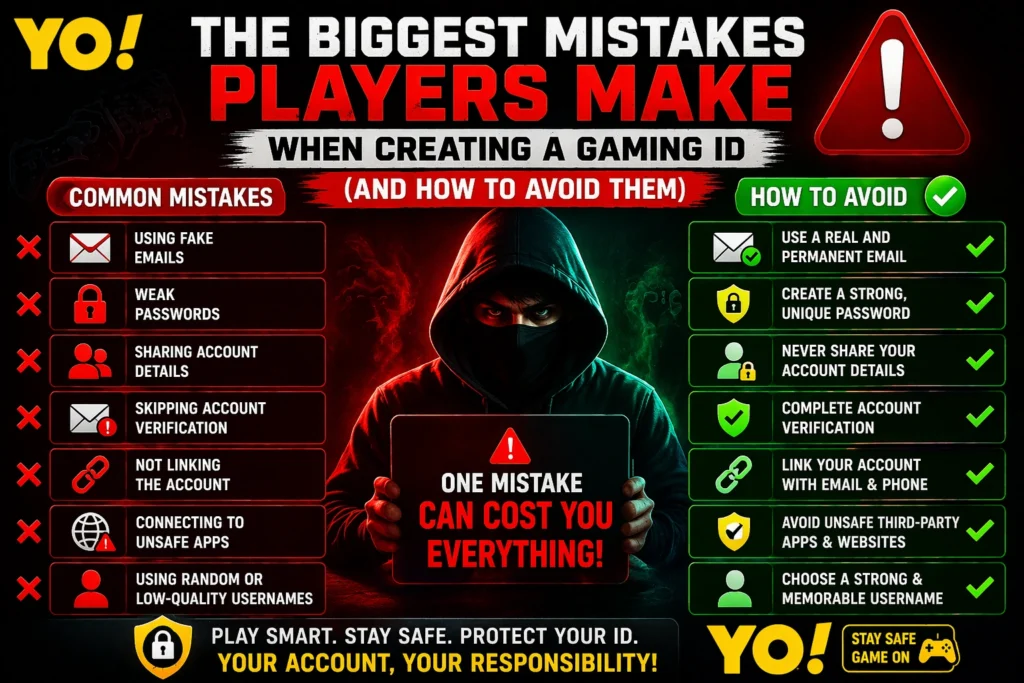
Understanding how to create ID is only half the job. The other half—often ignored—is knowing what not to do. Many players lose their accounts, progress, and even money because of simple mistakes made during account creation.
Let’s break down the most common and costly errors so you can avoid them completely.
1. Using Fake or Temporary Emails
This is one of the worst mistakes.
Some players use temporary or fake emails just to sign up quickly. It feels convenient at the moment—but it creates a serious problem later.
What goes wrong:
- You can’t recover your account
- You lose access if you forget your password
- Support teams can’t verify ownership
What you should do instead:
Always use a real, permanent email that you control.
2. Choosing Weak Passwords
Many players still use simple passwords like:
- 123456
- password
- their name or birthdate
Why this is dangerous:
- Easy for hackers to guess
- Accounts get stolen quickly
- No protection against brute-force attacks
Smart move:
Create a strong, unique password that you don’t use anywhere else.
3. Sharing Account Details with Others
This mistake destroys more accounts than hacking.
Players often share their ID or password with:
- Friends
- Teammates
- “Helpers” or online strangers
Reality check:
Once you share your details, you lose control.
Golden rule:
Never share your login information—no matter how much you trust someone.
4. Skipping Account Verification
Some players ignore verification emails or OTP codes.
What happens:
- Account remains weak and unprotected
- Recovery becomes difficult
- Higher risk of being locked out
Fix:
Always complete verification immediately after creating your ID.
5. Not Linking the Account Properly
Players often skip linking their account to backup options.
Result:
- No recovery method if access is lost
- Permanent account loss
Better approach:
Link your ID with:
- Phone number
- Backup login method
6. Connecting to Unsafe Third-Party Apps
Many players try to get free rewards or hacks by linking their accounts to unknown apps or websites.
Big risk:
- Account hacking
- Data theft
- Permanent bans
Rule:
If it’s not official, don’t trust it.
7. Using Random or Low-Quality Usernames
A weak username might not seem like a big issue—but it affects your identity.
Problems:
- Hard to remember
- Looks unprofessional
- No personal branding
Better choice:
Pick a clean, strong, and meaningful name that represents you.
The Harsh Truth: Small Mistakes, Big Consequences
Most players think:
“It’s just an account, I’ll fix it later.”
But in reality:
- Lost accounts are rarely recovered
- Stolen items are usually gone forever
- Progress can’t be rebuilt easily
Learning how to create ID properly means avoiding these mistakes from day one.
Quick Mistake Checklist (Avoid These at All Costs)
Before you move forward, make sure you are NOT:
- Using a fake email
- Setting a weak password
- Sharing your login details
- Skipping verification
- Ignoring security settings
- Linking to unsafe apps
If you avoid these, you’re already ahead of most players.
Pro Tips to Create a Strong, Secure, and Memorable Gaming ID
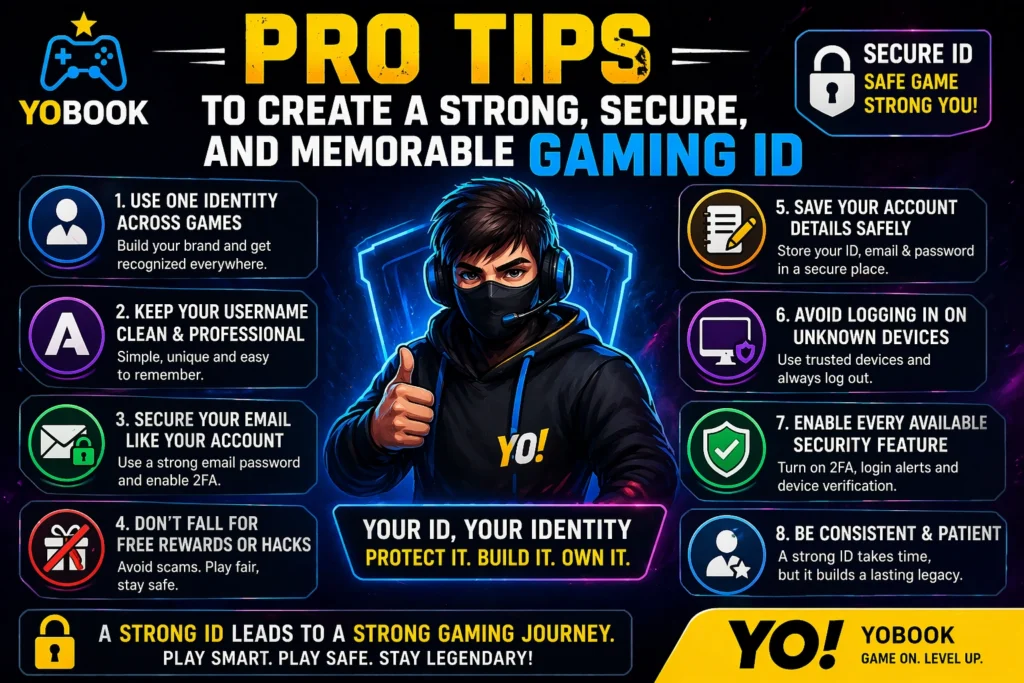
Now that you know how to create ID and what mistakes to avoid, it’s time to level up. These pro tips will help you go beyond basic setup and build an ID that is not only secure but also powerful in the gaming world.
1. Use One Identity Across Multiple Games
If you’re serious about gaming, consistency matters.
Why this works:
- Players start recognizing your name
- You build a personal gaming brand
- Easier for friends to find you
Pro Tip:
Use the same or similar username across different games.
2. Keep Your Username Clean and Professional
Even in gaming, your name represents you.
Avoid:
- Offensive words
- Too many symbols
- Random numbers
Better approach:
Choose something simple, strong, and easy to remember.
A clean username increases your credibility, especially in competitive or team-based games.
3. Secure Your Email Like Your Game Account
Many players focus only on the game—but forget their email.
Important truth:
If someone gets your email, they can reset your game password.
What to do:
- Use a strong email password
- Enable 2FA on your email
- Never share your email login
4. Don’t Fall for Free Rewards or Hacks
This is one of the biggest traps.
You might see offers like:
- Free skins
- Free diamonds or coins
- Hack tools
Reality:
These are often scams designed to steal your ID.
Golden Rule:
If it sounds too good to be true—it probably is.
5. Save Your Account Details Safely
Don’t rely on memory alone.
Store your:
- Password
- Recovery info
But do it safely (not in public notes or screenshots).
Use a secure method like a password manager or private note.
6. Avoid Logging in on Unknown Devices
Logging into your account on someone else’s phone or PC is risky.
Why:
- Your data can be saved
- Someone can access your account later
Safe habit:
Only log in on trusted devices and always log out after use.
7. Enable Every Available Security Feature
If the game offers extra protection—use it.
This includes:
- Two-Factor Authentication
- Login alerts
- Device approval
These features act like a shield for your account.
What Makes a “Powerful” Gaming ID?
A strong ID is not just secure—it also stands out.
A powerful ID is:
- Easy to remember
- Unique
- Consistent across platforms
- Secure and well-protected
This combination helps you grow in the gaming world, whether casually or competitively.
Final Reality Check
Most players ignore these pro tips because they seem “extra.”
But here’s the truth:
- Hackers target easy accounts
- Weak setups get exploited first
- Careful players rarely lose access
So if you really want to master how to create ID, don’t stop at basic steps—apply these advanced tips.
Final Conclusion: How to Create ID the Right Way (Don’t Risk Your Gaming Future)
If you’ve read this far, you now truly understand how to create ID in the online gaming world—not just the basic steps, but the right way to do it.
Most players think how to create ID is just about signing up and starting the game. That mindset is exactly why so many accounts get hacked, lost, or permanently locked. The reality is simple: if you don’t take how to create ID seriously, you’re putting your entire gaming progress at risk.
How to Create ID Safely (Quick Recap)
Let’s lock it in clearly:
- Use a real email when learning how to create ID
- Choose a strong password while setting up your ID
- Verify your account immediately after you create ID
- Link your account for backup and recovery
- Enable all security features after you create ID
These steps define the correct way of how to create ID.
What Happens If You Ignore How to Create ID Properly?
Let’s be direct.
If you ignore the basics of how to create ID:
- Your account can get hacked
- You can lose skins, items, and progress
- Recovery may become impossible
- Your time and effort can be wasted
Thousands of players search for how to create ID after they lose their accounts—but by then, it’s already too late.
How to Create ID Like a Smart Player
Smart players don’t rush.
They understand that how to create ID is the foundation of everything:
- Your identity
- Your reputation
- Your progress
When you follow the right process of how to create ID, you:
- Stay secure
- Build a strong presence
- Avoid unnecessary risks
Final Thought (Remember This)
How to create ID is not a small step—it’s the most important step.
You can always improve your skills in a game.
You can always unlock new items.
But if you lose your account because you didn’t understand how to create ID, you lose everything.
Call to Action
Now that you fully understand how to create ID, don’t rush it.
Take a few extra minutes.
Follow the right steps.
Avoid the common mistakes.
Because in the gaming world:
👉 A smart start with how to create ID leads to a safe and successful journey.
Frequently Asked Questions (FAQ) – How to Create ID in Online Games
1. How to create ID in online games safely?
To understand how to create ID safely, you need to follow a few essential steps. Always use a real and active email address, create a strong password, and verify your account immediately. Many players skip these steps and later face account loss or hacking issues. If you want a deeper understanding of account safety and gaming basics, you can explore more guides on yobookonline where similar topics are explained in detail.
2. What is the best method for how to create ID?
The best method for how to create ID is using an email-based registration instead of relying only on social logins. Email gives you better control, recovery options, and long-term security. Social logins can be convenient, but if your social account gets locked or hacked, your game ID may also be at risk. A smart player always chooses stability over convenience when learning how to create ID.
3. Can I recover my account if I make a mistake while creating ID?
Yes, but only if you followed the correct steps while learning how to create ID. If your account is linked to a verified email or phone number, recovery is usually possible. However, if you used a fake email or skipped verification, recovery becomes very difficult or even impossible. That’s why understanding how to create ID properly from the beginning is so important.
4. Why do players lose their gaming IDs after creating them?
Most players lose their accounts because they don’t fully understand how to create ID securely. Common reasons include weak passwords, sharing login details, or connecting accounts to unsafe third-party apps. Sometimes players fall for fake reward offers, which leads to account theft. Avoiding these mistakes is just as important as learning how to create ID itself.
5. Is it safe to link my gaming ID with other platforms?
Linking can be safe if done correctly. When learning how to create ID, it’s recommended to link your account with trusted platforms like email or phone for backup. However, avoid linking your ID to unknown apps or websites. For example, while exploring gaming platforms or fantasy apps like dream11global, always make sure you are using official and secure sources before connecting any account.
6. How to create ID that looks professional and memorable?
A good understanding of how to create ID also includes choosing the right username. Your ID should be simple, unique, and easy to remember. Avoid random numbers or complicated symbols. A clean and strong username helps you stand out and builds your identity in the gaming world.
7. What is the biggest mistake to avoid when learning how to create ID?
The biggest mistake is taking the process lightly. Many players think how to create ID is just a quick sign-up step, but it’s actually the foundation of your entire gaming experience. Using fake details, weak passwords, or skipping security settings can cost you your account. Taking a few extra minutes to do it right can save you from major problems later.
Final Note
Understanding how to create ID is not just about access—it’s about security, identity, and long-term safety. The more carefully you follow the process, the stronger and safer your gaming journey will be.